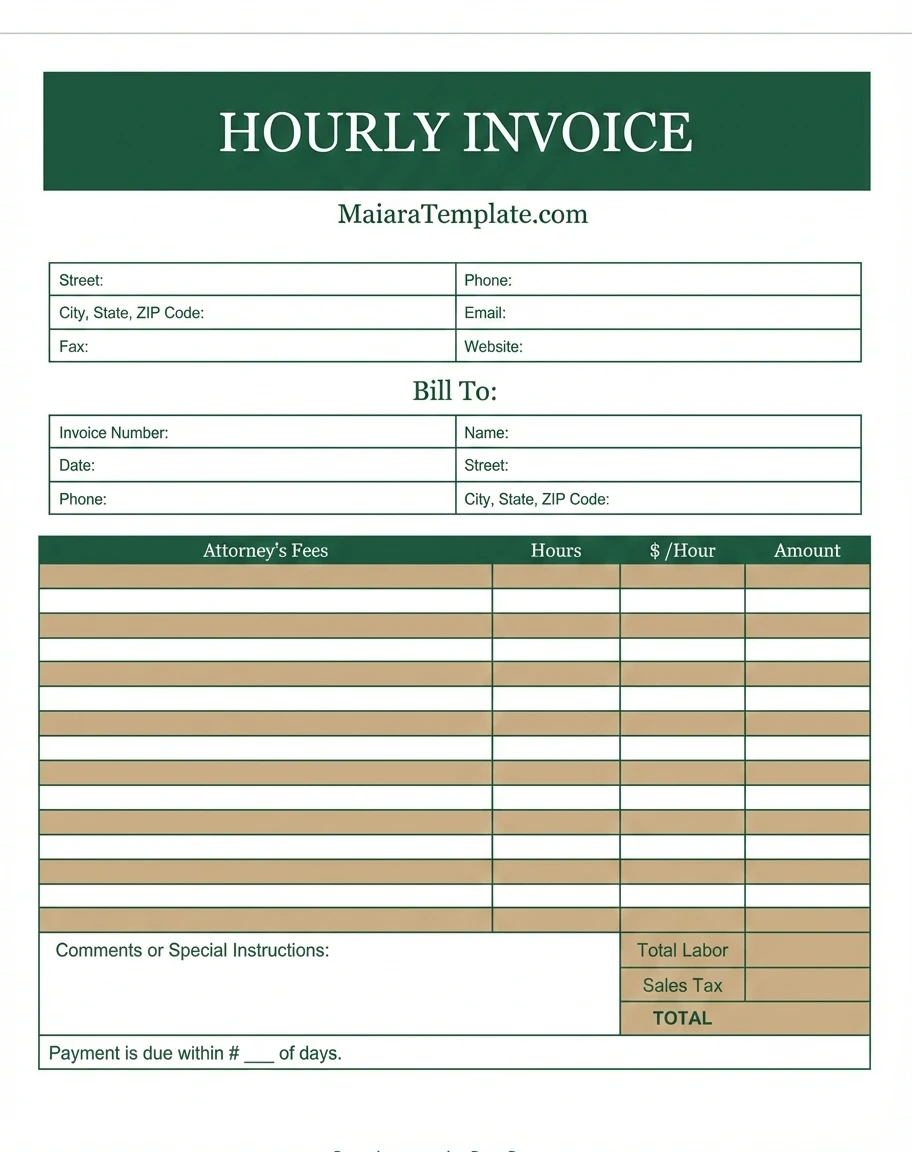
When billing clients for your time and expertise, using an hours worked invoice, also known as a timesheet invoice or hourly invoice, is a common practice. This type of invoice provides a transparent record of the work done, allowing clients to understand how their money is being spent and ensuring accurate compensation for the service provider.
Whether you are a freelancer, consultant, or professional whose work varies in scope, utilizing an hours worked invoice can help streamline your billing process and maintain a professional relationship with your clients.
Why Use Hourly Invoices?
Hourly invoices are a crucial tool for professionals who offer services that require tracking the time spent on a project. By using hourly invoices, you can:
- Provide transparency: Clients can see exactly how much time was spent on their project.
- Ensure accuracy: Billing by the hour ensures you are compensated for the time you put in.
- Establish trust: By providing detailed invoices, you show clients that you are honest and thorough in your work.
When to Choose Hourly Billing?
Hourly billing is an ideal choice for projects that require flexibility and may not have a defined scope of work. Consider using hourly billing when:
- The project scope is unclear: When the project requirements are likely to change or evolve.
- The client prefers transparency: Some clients prefer to see a breakdown of how their money is being spent.
- You want to account for unexpected changes: Hourly billing allows you to adjust your rates as needed for unforeseen circumstances.
What to Include on an Invoice for Hours Worked?
When creating an invoice for hours worked, be sure to include the following information:
- Your contact information: Include your name, address, phone number, and email address.
- Client’s contact information: Include the client’s name, address, and any other relevant contact details.
- Invoice number: Assign a unique identifier to your invoice for tracking purposes.
- Date of service: Specify the date or dates the work was performed.
- Description of services: Provide a detailed description of the work performed and the hours worked.
- Hourly rate: Clearly state your hourly rate for the services rendered.
- Total amount due: Calculate the total amount owed based on the hours worked and hourly rate.
How to Create an Invoice for Hours Worked (Step-by-step Guide)
Creating an invoice for hours worked is a straightforward process. Follow these steps to create a professional and accurate invoice:
- Choose a template: Select an invoice template that suits your style and branding.
- Add your information: Include your name, contact information, and logo if applicable.
- Include client details: Input the client’s name, address, and any other relevant information.
- Itemize services: List the services provided, hours worked, and hourly rate for each service.
- Calculate total: Total up the hours worked and multiply by the hourly rate to determine the total amount due.
- Add payment terms: Specify payment terms, such as due date and accepted payment methods.
- Review and send: Double-check the invoice for accuracy before sending it to the client.
Is It Necessary to Include a Timesheet With an Hours Worked Invoice?
While it is not always necessary to include a timesheet with an hours worked invoice, it can be beneficial for both you and your client. Including a timesheet provides a detailed breakdown of the work completed, giving your client further insight into the time spent on their project. Additionally, a timesheet can serve as a reference point for any questions or disputes that may arise regarding the billed hours.
Tips for Improving Hourly Invoicing Efficiency
To streamline your hourly invoicing process and improve efficiency, consider implementing the following tips:
- Use invoicing software: Utilize online invoicing tools to easily create and send professional invoices.
- Track time accurately: Use time tracking software to monitor the time spent on each project and ensure accurate billing.
- Set clear expectations: Communicate your billing process and payment terms upfront with clients to avoid any confusion.
- Follow up on overdue payments: Send reminders for outstanding invoices to prompt timely payment from clients.
- Regularly review your invoicing process: Continuously assess and refine your invoicing procedures to maximize efficiency and accuracy.
Hours Worked Invoice Template – DOWNLOAD

- Free Printable Nursing Notes Template - March 27, 2026
- Nursing Resignation Letter Template - March 27, 2026
- Free Editable Nursing Resume Template (Word) - March 12, 2026
