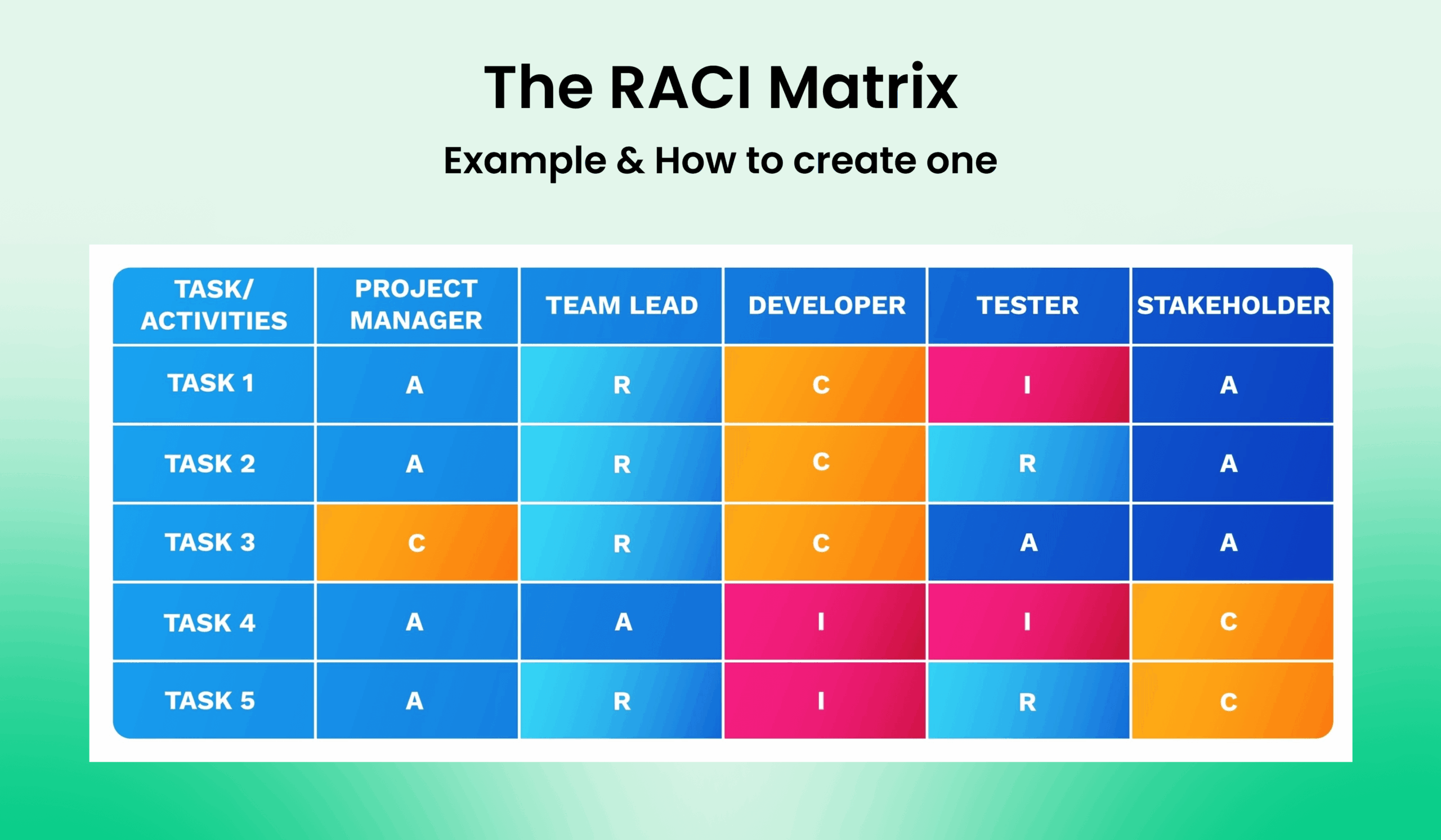
Have you ever found yourself in a project where roles and responsibilities were unclear, leading to confusion and inefficiency? If so, you may benefit from using a RACI chart. RACI, which stands for Responsible, Accountable, Consulted, and Informed, is a powerful tool that helps teams clarify who is responsible for what tasks in a project. In this guide, we will delve into the world of RACI charts, exploring what they are, why they are important, and how to create one effectively.
What is a RACI Chart?
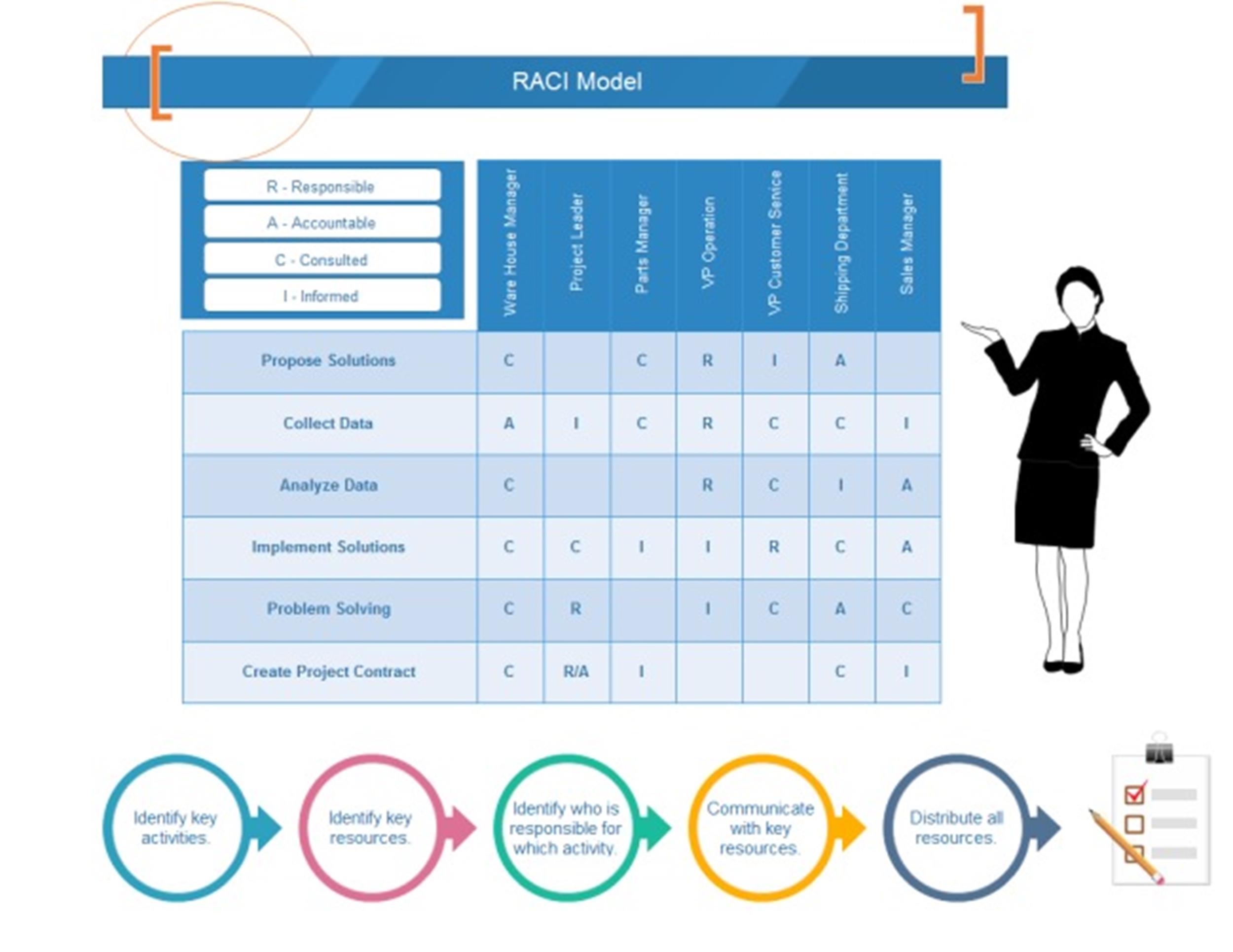
A RACI chart is a matrix that defines the roles and responsibilities of team members in a project. The acronym RACI stands for four key roles:
- Responsible. The person or team who is responsible for completing a task.
- Accountable. The person who is ultimately answerable for the completion of the task.
- Consulted. People who need to provide input or expertise before a task can be completed.
- Informed. People who need to be kept informed about the progress of a task.
By clearly defining these roles, a RACI chart helps eliminate confusion, reduce duplication of efforts, and improve communication within a team.
Why Use a RACI Chart?
RACI charts offer several benefits that can enhance the success of a project:
- Clarity. By clearly defining roles and responsibilities, team members know exactly what is expected of them.
- Accountability. The chart helps assign clear accountability for each task, reducing the likelihood of tasks slipping through the cracks.
- Communication. RACI charts improve communication by ensuring that everyone knows who is responsible for what and who needs to be consulted or informed.
- Efficiency. By eliminating confusion and duplication of efforts, teams can work more efficiently and effectively.
Overall, RACI charts can help streamline workflows, increase productivity, and ultimately lead to the successful completion of projects.
What to Include in a RACI Chart
When creating a RACI chart, it is important to include the following elements:
- List of Tasks. Identify all the tasks that need to be completed for the project.
- Roles. Define the roles of Responsible, Accountable, Consulted, and Informed for each task.
- Team Members. Assign specific team members to each role for every task.
- Clear Assignments. Ensure that each task has one Responsible and one Accountable person to avoid confusion.
By including these elements in your RACI chart, you can create a clear and comprehensive guide for your team to follow throughout the project.
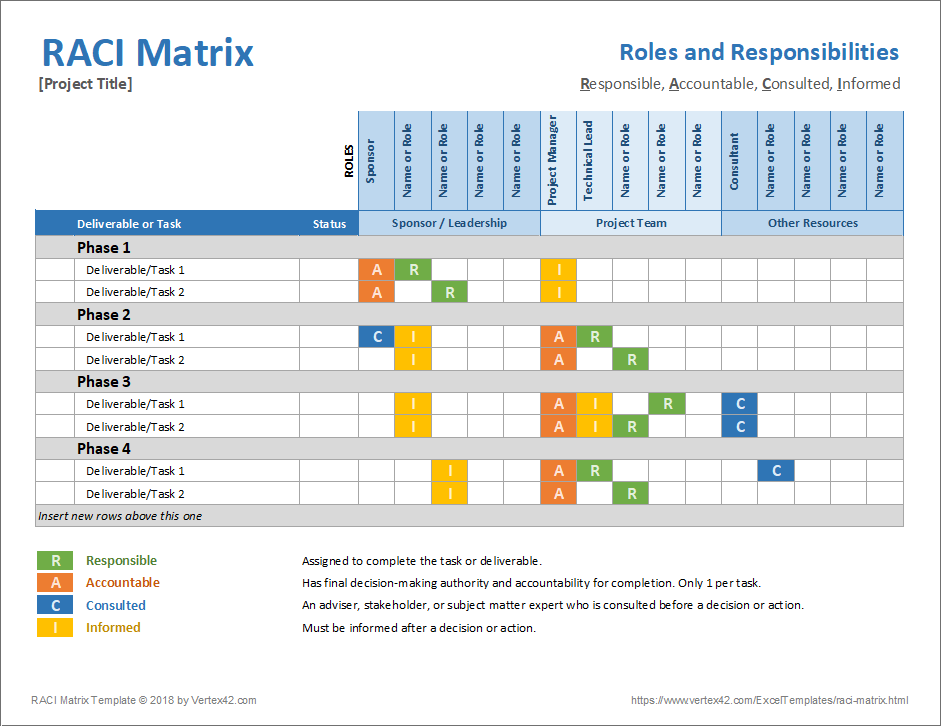
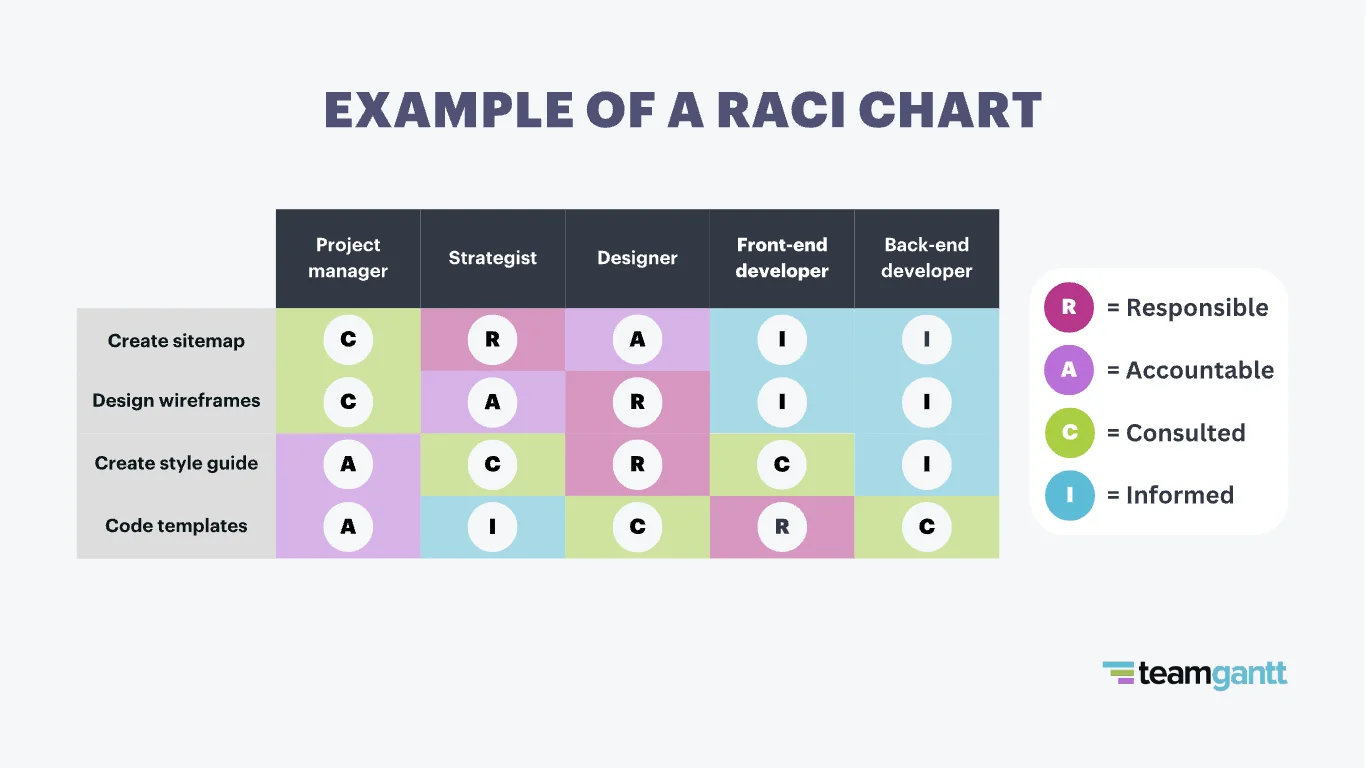
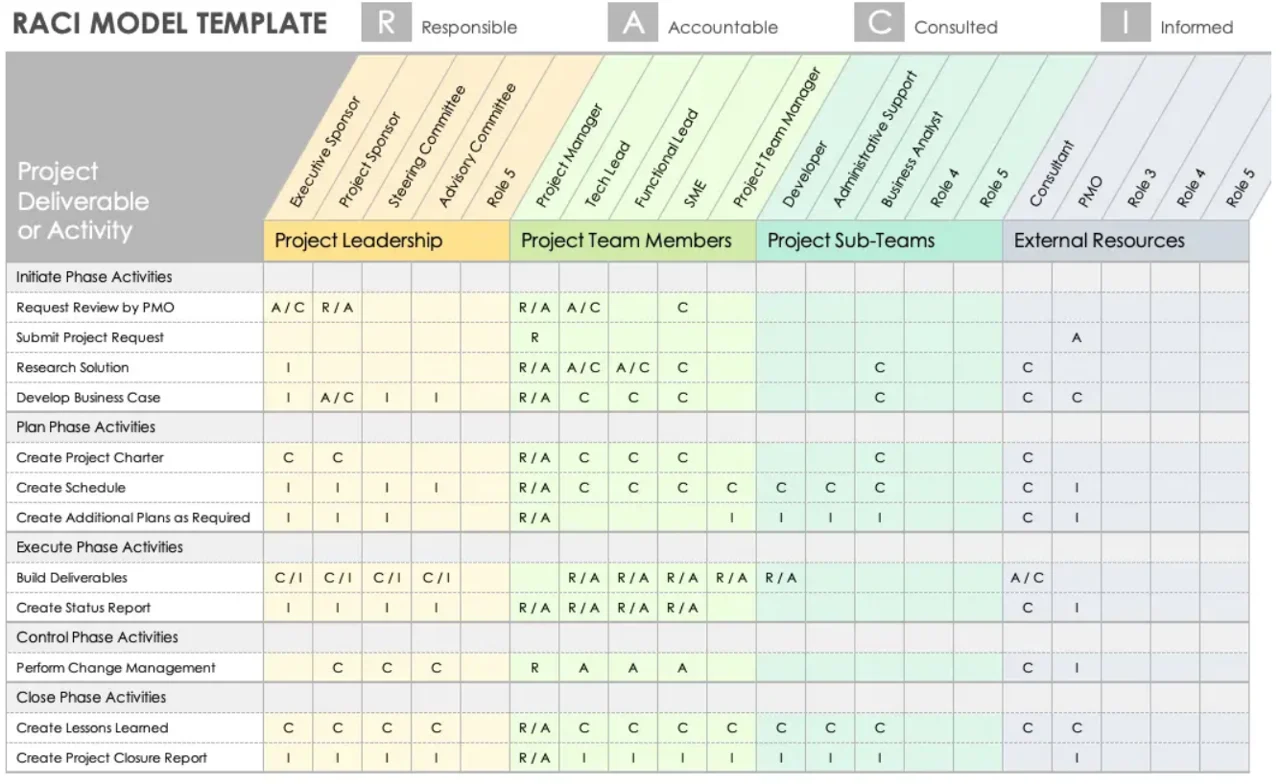
How to Create a RACI Chart
Creating a RACI chart involves the following steps:
- Identify Tasks. List all the tasks that need to be completed for the project.
- Define Roles. Clearly define the roles of Responsible, Accountable, Consulted, and Informed for each task.
- Assign Team Members. Assign team members to each role for every task based on their expertise and availability.
- Review and Finalize. Review the RACI chart with your team to ensure clarity and understanding, then finalize it for use.
By following these steps, you can create a RACI chart that effectively outlines the responsibilities of each team member and promotes efficient collaboration.
Tips for Successful RACI Charts
Here are some tips to help you create successful RACI charts:
- Keep it Simple. Avoid overcomplicating the chart with too many tasks or roles to maintain clarity.
- Update Regularly. Make sure to update the chart as tasks are completed or roles change to keep it current.
- Communicate Effectively. Ensure that all team members understand their roles and responsibilities to prevent misunderstandings.
- Use Software Tools. Consider using project management software that includes RACI chart templates to streamline the process.
- Seek Feedback. Regularly seek feedback from team members on the effectiveness of the RACI chart and make adjustments as needed.
By following these tips, you can create and maintain RACI charts that enhance teamwork, improve project outcomes, and drive success in your organization.

- Wedding Invitation Wording Template - September 27, 2026
- Free Printable Vacation Planner Template - September 27, 2026
- Free Printable Slumber Party Invitation Template - September 27, 2026
