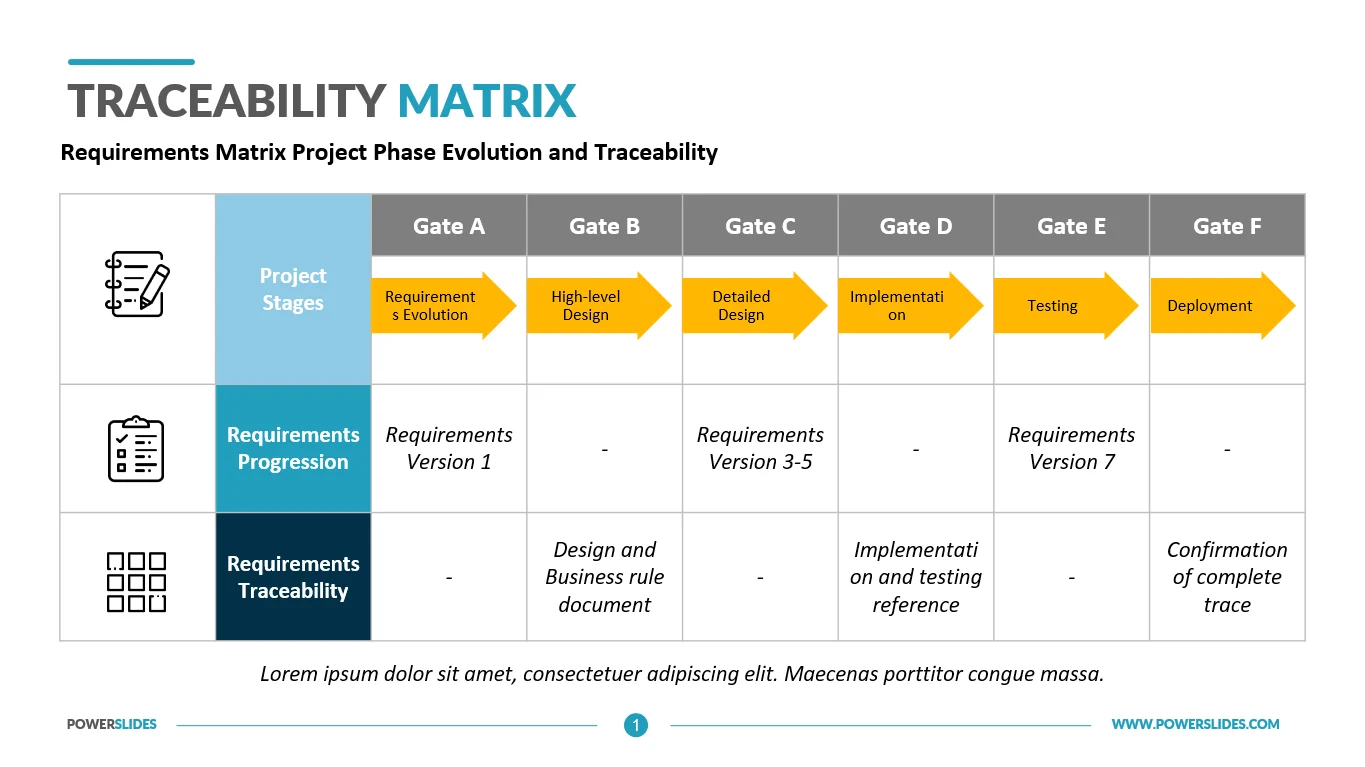
Requirement Traceability Matrix (RTM) is a crucial document that plays a significant role in ensuring the success of a project. It serves as a tool for tracking and managing requirements throughout the project lifecycle, from the initial planning stages to the final delivery. In this comprehensive guide, we will explore what RTM is, why it is essential, what to include in an RTM, how to create one, and tips for successful implementation.
What is a Requirement Traceability Matrix?
Requirement Traceability Matrix (RTM) is a document that establishes a bi-directional traceability relationship between various project elements. It links requirements to other project artifacts, such as design documents, test cases, and deliverables, to ensure that each requirement is met and validated. RTM helps in tracking the flow of requirements throughout the project, providing a clear understanding of how each requirement contributes to the project’s objectives.
Why is Requirement Traceability Matrix important?
RTM is essential for several reasons, including:
- Ensuring Requirement Coverage. RTM helps in confirming that all requirements are addressed and implemented in the project.
- Managing Changes Effectively. By tracing requirements, RTM facilitates the impact analysis of changes and helps in making informed decisions.
- Enhancing Communication. RTM promotes better communication among project stakeholders by providing a common reference point for discussing requirements.
- Improving Quality. By linking requirements to test cases, RTM ensures thorough testing and validation, leading to higher quality deliverables.
What to Include in a Requirement Traceability Matrix?
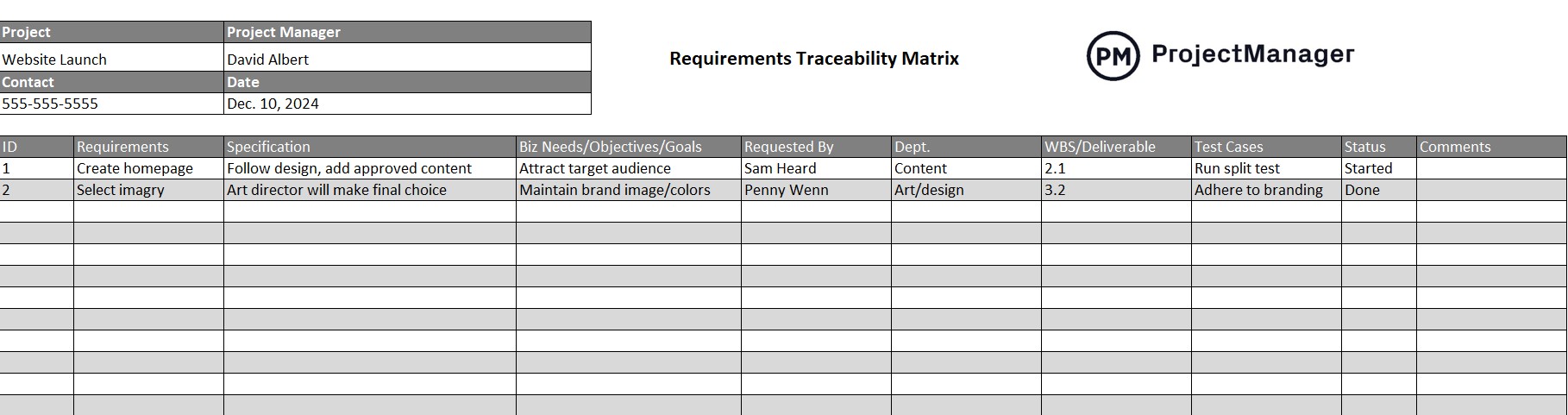
When creating an RTM, it is essential to include the following components:
- Requirement ID. A unique identifier for each requirement.
- Description. A detailed description of the requirement.
- Source. The origin of the requirement, such as business needs or stakeholder requests.
- Status. The current status of the requirement, whether it is approved, in progress, or completed.
- Traceability Links. Links to other project artifacts, such as design documents, test cases, and deliverables.
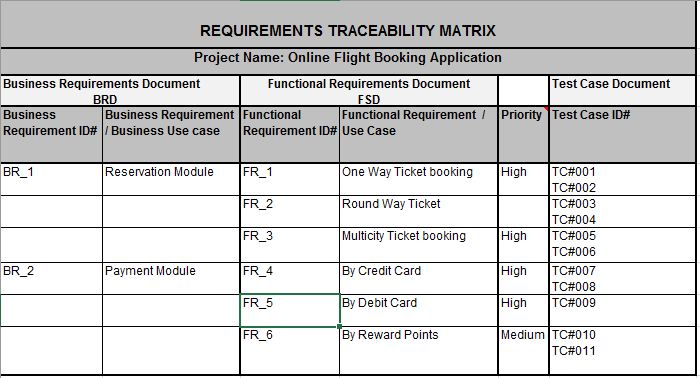
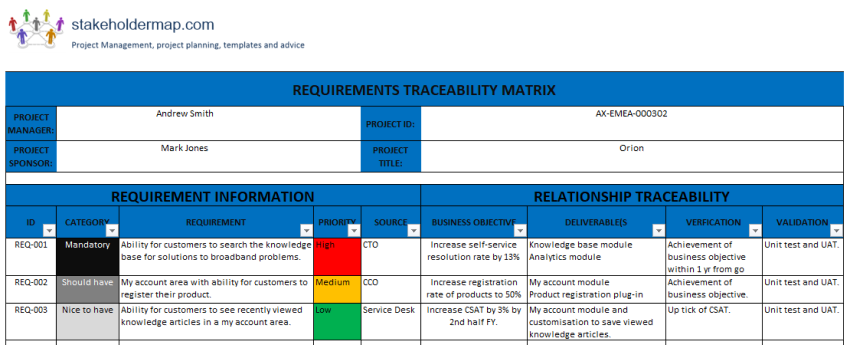
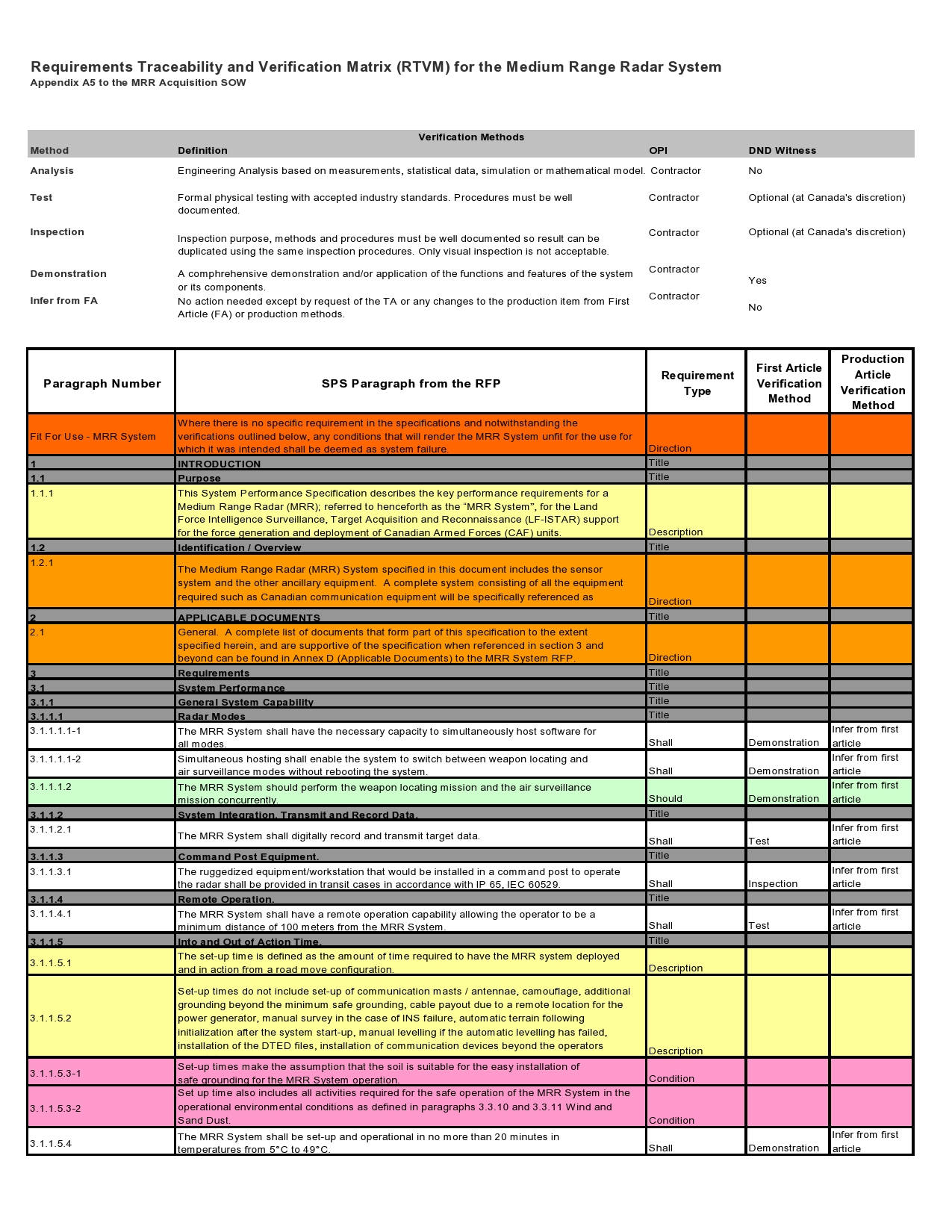
How to Create a Requirement Traceability Matrix?
Creating an RTM involves the following steps:
1. Identify Requirements
Start by gathering and documenting all project requirements, ensuring they are clear, concise, and measurable.
2. Establish Traceability Relationships
Link each requirement to its source and to traceability links to other project artifacts to establish bi-directional traceability.
3. Update and Maintain RTM
Regularly update the RTM as requirements evolve throughout the project lifecycle, ensuring it remains accurate and up-to-date.
4. Review and Validate
Review the RTM with stakeholders to validate that all requirements are correctly mapped and will be met by the project deliverables.
5. Use RTM for Decision-Making
Utilize the RTM as a reference tool for making informed decisions regarding project scope, changes, and priorities.
Tips for Successful Requirement Traceability Matrix Implementation
To ensure a successful RTM implementation, consider the following tips:
- Involve Stakeholders. Collaborate with project stakeholders to gather, validate, and prioritize requirements for the RTM.
- Use Traceability Tools. Employ traceability tools and software to automate the process of linking requirements and project artifacts.
- Maintain Consistency. Ensure consistency in requirement naming conventions and formats to avoid confusion and misinterpretation.
- Regularly Update RTM. Keep the RTM up-to-date with changes in requirements, ensuring accurate traceability throughout the project.
- Review and Validate. Conduct regular reviews and validations of the RTM with stakeholders to ensure alignment with project objectives.
By following these guidelines and best practices, you can create an effective Requirement Traceability Matrix that enhances project success and ensures the delivery of high-quality products or services.
Requirement Traceability Matrix Template

- Free Printable SWOT Analysis Template - October 8, 2026
- Free Printable Work Estimate Template - October 8, 2026
- Ship Chart Template - October 5, 2026
